I. Project Overview
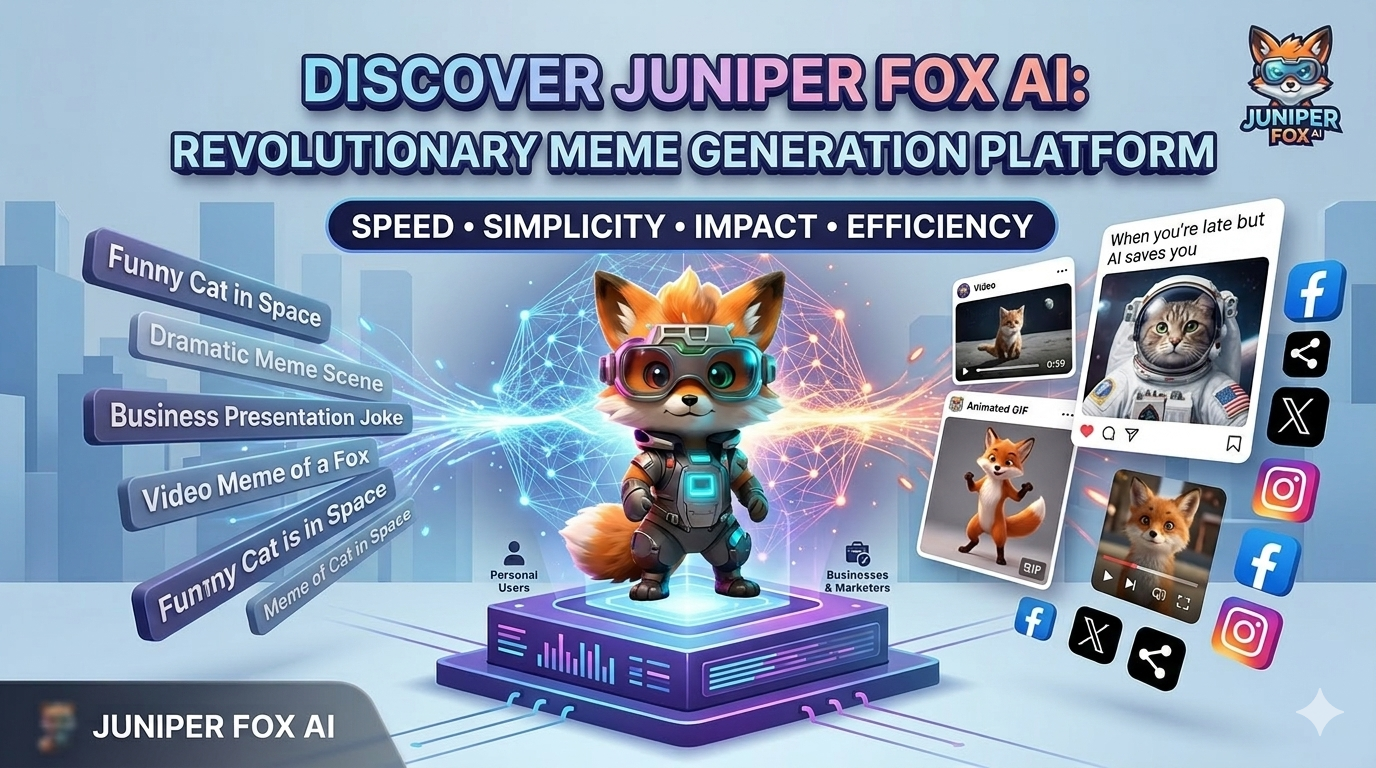
Juniper Fox AI is an AI-generated content platform created by Bamboo Software that enables users to create and edit meme images, videos, and GIFs using machine learning models.
The platform aims to help individuals and businesses produce creative, engaging, and humorous content quickly, easily, and cost-effectively – reducing both production time and marketing expenses.
II. Stakeholders
- Individual Users: Create AI-generated content for personal use
- Businesses & Marketers: Produce marketing and advertising content
- Development Team: Build, maintain, and optimize the system
- System Admin: Manage and operate the platform
III. Meme Creation Workflow
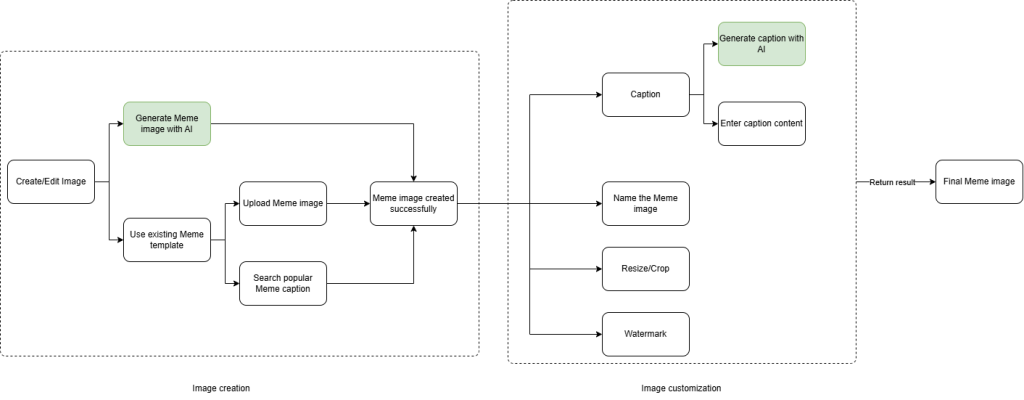
The workflow is divided into three main phases to ensure a logical progression from initiation to the final output.
Phase 1: Image Generation
Users can create the base image through:
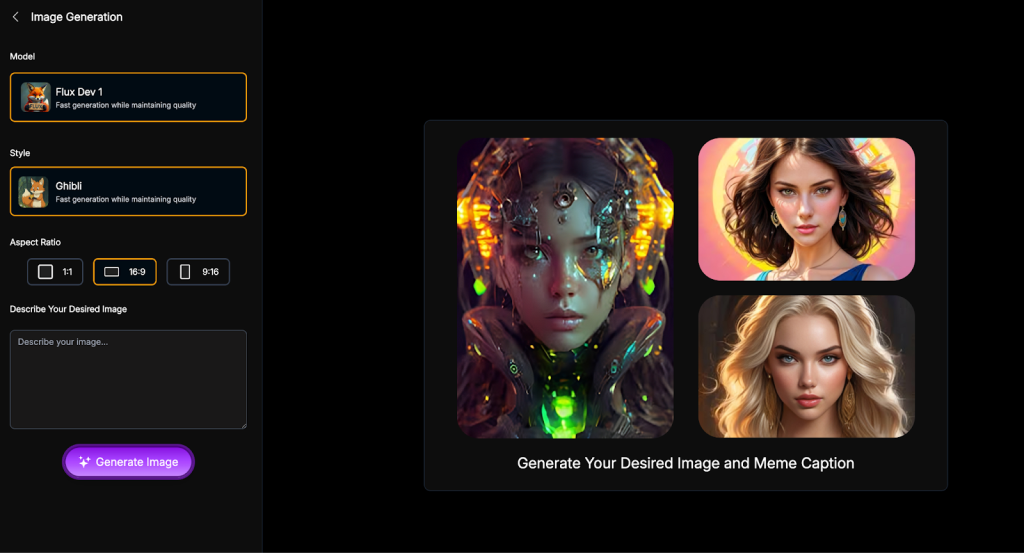
- AI generation from text prompts (Machine Learning / Diffusion models)
- Uploading existing images
- Selecting trending templates from the system library
Once completed, the system confirms successful generation and moves to editing.
Phase 2: Image Customization
After obtaining the original image, users can personalize the content using supporting tools:
Content Management (Caption):
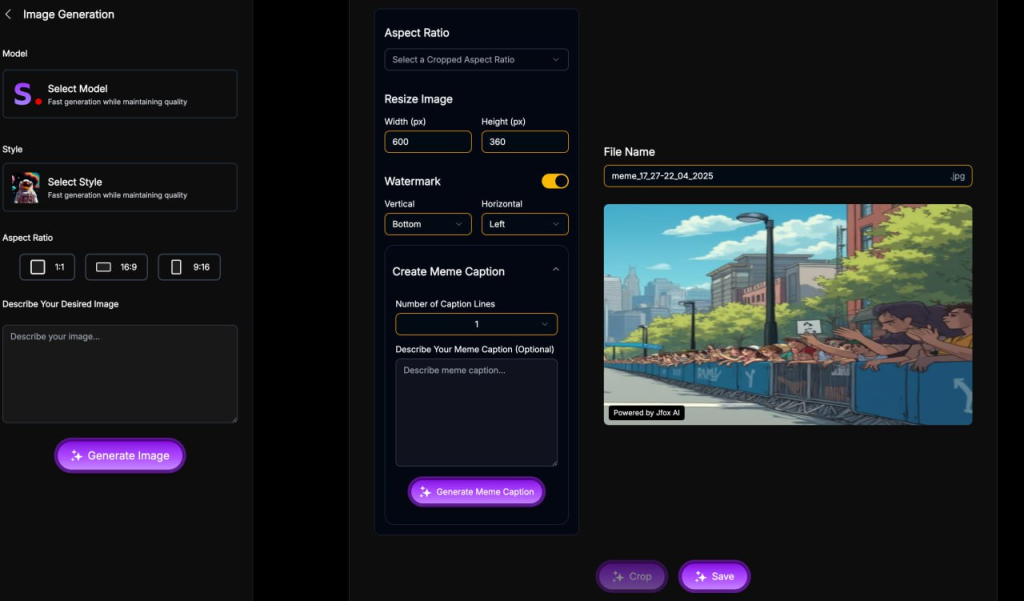
- Use AI to automatically suggest engaging and context-appropriate captions.
- Or manually input captions based on personal preference.
Format Adjustment:
- Set a file name for easier management.
- Crop and resize the image to meet the standards of different social media platforms.
- Add a watermark to indicate copyright or branding.
Phase 3: Output
After completing the customization, the system processes the request and returns a final meme image. The user then has the following options:
- Download the image
- Share directly to social platforms (Facebook, X, etc.)
- Save to personal collection (for logged-in users)
IV. Technical Architecture & System Design
1. Tech Stack
- Frontend: ReactJS (UX + SEO optimization)
- Backend: FastAPI (JSON/Webhook APIs)
- Database: Stores prompt-response history for real-time retrieval
2. AI Models
- Image Generation: Diffusion models (Stable Diffusion, DALL·E, Flux, etc.)
- Caption Generation: LLMs for contextual and humorous captions
- Video/GIF AI (planned): Motion generation from text or image
3. Cloud Infrastructure
- Storage: AWS S3 / MinIO for templates and user assets
- Performance: ≥ 1,000 AI requests/minute, <5s generation time
- Security: AES-256 encryption, GDPR compliance
4. Third-party Integrations
- Blockchain & Payment: Phantom wallet, crypto & fiat payments
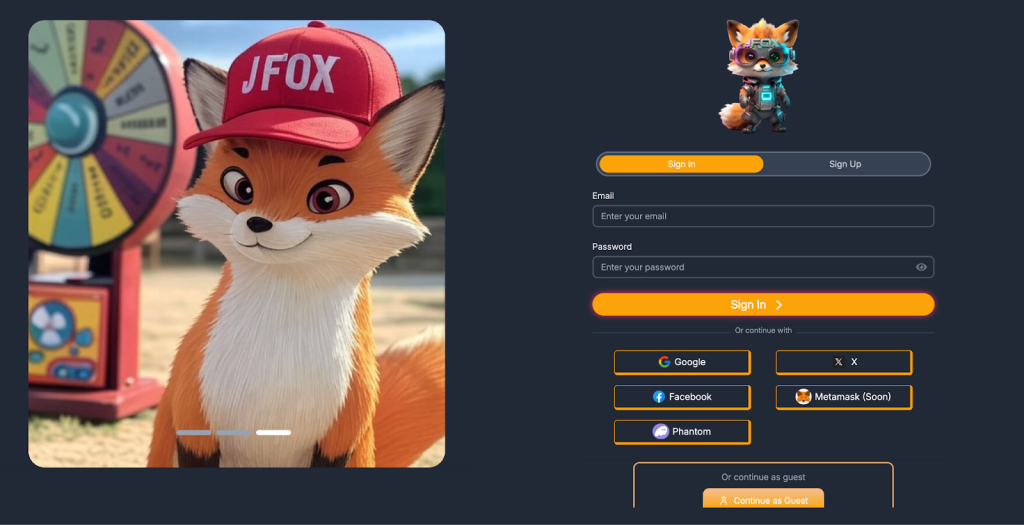
- Social Authentication: Google, Facebook, X
- Social Sharing APIs
5. Some UX/UI Screens
6. Technical Design & Sequence Diagram
The system is designed using a microservices architecture to ensure separation of concerns between user management and heavy AI processing tasks.
6.1. High-level Design
The system consists of four main layers:
- Client Layer: A Web Application (ReactJS) interacts with users, receives prompts, and displays results.
- Orchestration Layer (API Gateway & Backend): Handles incoming requests, authenticates users (JWT/Firebase), checks usage quota, and dispatches tasks to a queue.
- AI Processing Layer (Worker Layer): Dedicated workers connect to AI models such as Stable Diffusion (image generation) and GPT/LLM (caption generation). This layer leverages GPU for parallel computation.
- Data Layer:
-> PostgreSQL / MongoDB: Store user data, transaction history, and image metadata.
-> AWS S3 / Cloud Storage: Store image files and meme templates.
6.2. Detailed Technical Design
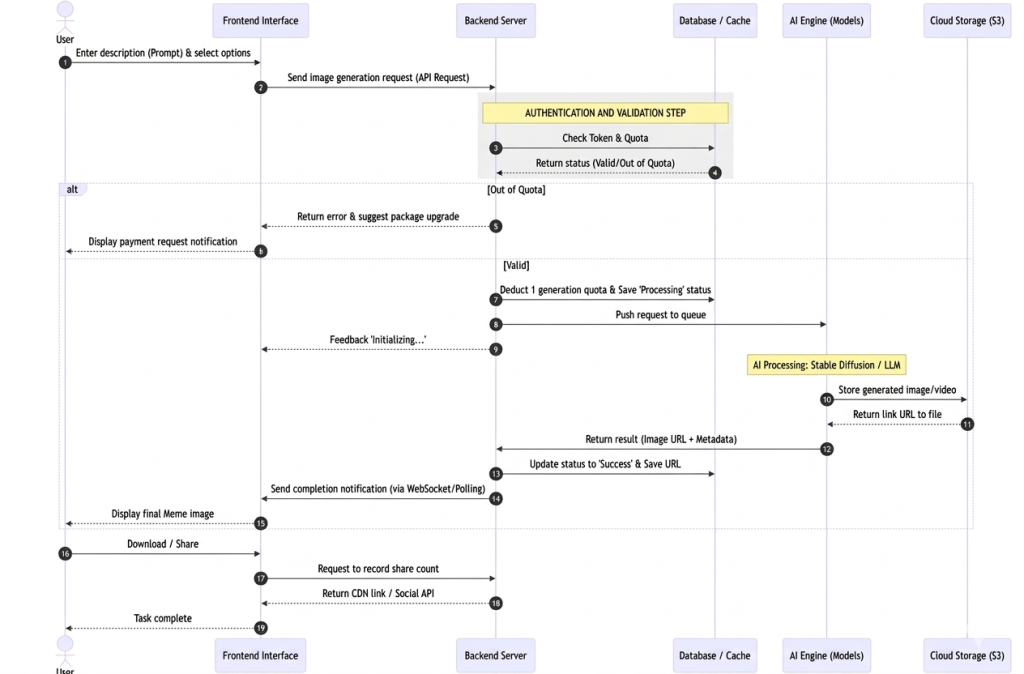
- Asynchronous Processing: When users click “Generate,” the system does not block the HTTP request. Instead, the request is pushed into a Message Queue (Redis/RabbitMQ). Workers consume the tasks, process them, and notify the client via Webhook/WebSocket upon completion.
- Caching Mechanism: Redis is used to cache trending memes and frequently generated captions to reduce AI model load and improve response time.
- Resource Management: The system supports auto-scaling, increasing the number of AI workers when concurrent requests exceed 1,000 requests per minute.
6.3. Sequence Diagram
V. System Features Design In The Platform
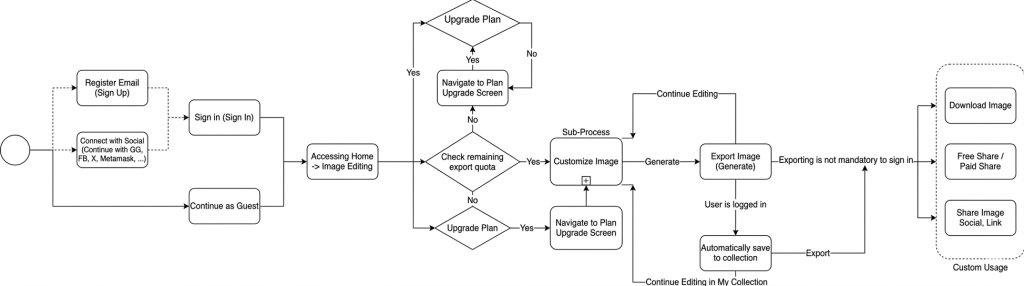
This section describes the core functionalities designed to ensure a seamless workflow from the moment the user accesses the system to the final content output.
1. Access Management & Authorization
The system is designed to recognize the user’s status from the very beginning:
- Sign Up & Log In: Allows users to create accounts to manage their personal library and image generation history.
- Subscription Classification: The system automatically identifies whether the user is on a Free or Premium plan to provide corresponding features.
2. Quota Management
This is a critical feature to maintain system resources:
- Usage Check: Before generating images, the system verifies the remaining generation quota of the user.
- Limit Notification: If the user has exhausted their quota, the system will automatically display an upgrade suggestion.
- Payment Integration: Integrates payment gateways to allow users to purchase additional credits or upgrade their plan directly.
3. Multi-Modal Content Creation Tools
The system provides flexible tools based on user needs:
- AI Hands-Free Mode: Automatically generates images and content from simple descriptive prompts.
- Smart Template Library: Offers a collection of trending images for quick customization.
- Personal Upload Tool: Supports uploading user images directly from their device for AI processing.
4. Advanced Editing & Refinement
After the image is generated, the system provides post-processing features:
- AI Suggestions: Automatically analyzes the image to generate relevant and engaging captions.
- Formatting Tools: Allows users to resize, crop, and rename files according to platform standards.
- Brand Personalization: Enables adding watermarks to assert ownership and branding.
5. Storage & Distribution
Output features that connect user creations to the community:
- Cloud Storage: Automatically saves drafts and final outputs to the user’s personal storage (for logged-in users).
- Multi-Platform Publishing: Supports high-quality downloads or direct sharing to popular social media platforms.
- History Management: Allows users to review, edit, or delete previously created content.